Workout App for Nurses on 12-Hour Shifts: A Shift-Proof Plan
A fixed Monday/Wednesday/Friday routine is the wrong shape for a rota that keeps moving. The better system keeps the workout sequence stable while the calendar stays flexible.
The best workout app for nurses on 12-hour shifts is one that lets the calendar move. Keep your sessions in an order such as Strength A → Strength B → optional short session, then place the next session into the next realistic training window after you know your rota. If a shift runs long or recovery is poor, move or shorten the session instead of restarting the week. IZEM is built around this kind of flexible coaching: workouts can adapt around schedule, available equipment, goals and recovery context, with optional voice-call accountability to help you follow through.
Watch the video guide
A short IZEM video guide for the decisions in this article.
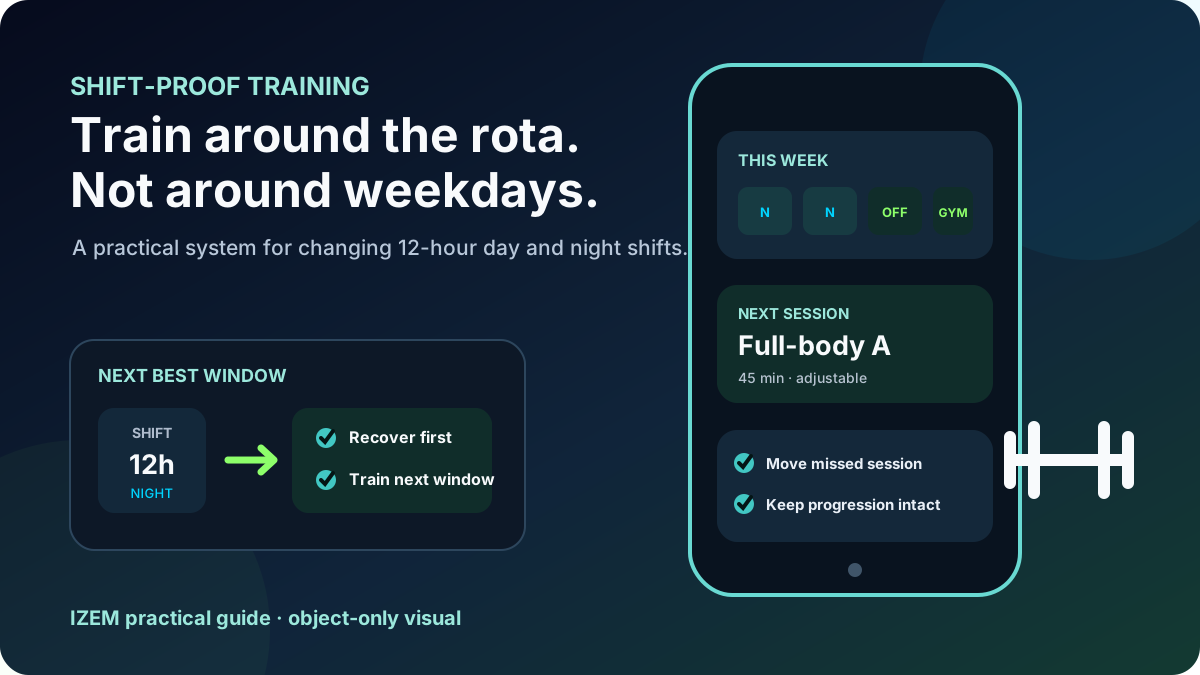
Why normal workout calendars break on rotating shifts
Most workout plans are built around stable weeks. Nurses and other shift workers often do not have one. A run of 12-hour days can be followed by nights, a changing set of days off, mandatory overtime, a commute, or a week where the only realistic gym window appears at a completely different time.
The problem is not that you are “bad at consistency.” The problem is that many programs define consistency as the same workout on the same weekday. For shift work, a more useful definition is doing the next appropriate session whenever the next workable window appears.
This pain is visible in real shift-worker discussions. In a recent rotating-shift thread, a worker moving to 12-hour shifts asked for routines that survive the change. Another 12-hour shift worker described days and nights making fixed class times difficult, while emergency-medicine workers discussed changing workout timing around early, late and overnight shifts.
Examples: rotating 12-hour shift discussion, 12-hour days/nights discussion, and exercise around changing emergency-medicine shifts.
That also explains why the right app should not merely send a notification at 6 p.m. It should make rescheduling normal. If your week changes, the plan should still tell you what comes next.
The shift-proof rule: sequence beats weekday
Instead of writing “legs Monday, upper Wednesday, full body Friday,” write the program as a sequence:
- Strength A — your highest-priority full session.
- Strength B — the next full session.
- Fallback — a shorter session for a limited window, or rest when that is the better call.
If Tuesday disappears because the ward runs late, nothing is “missed” in a way that ruins the program. Strength B is still next. It simply moves to the next useful window.
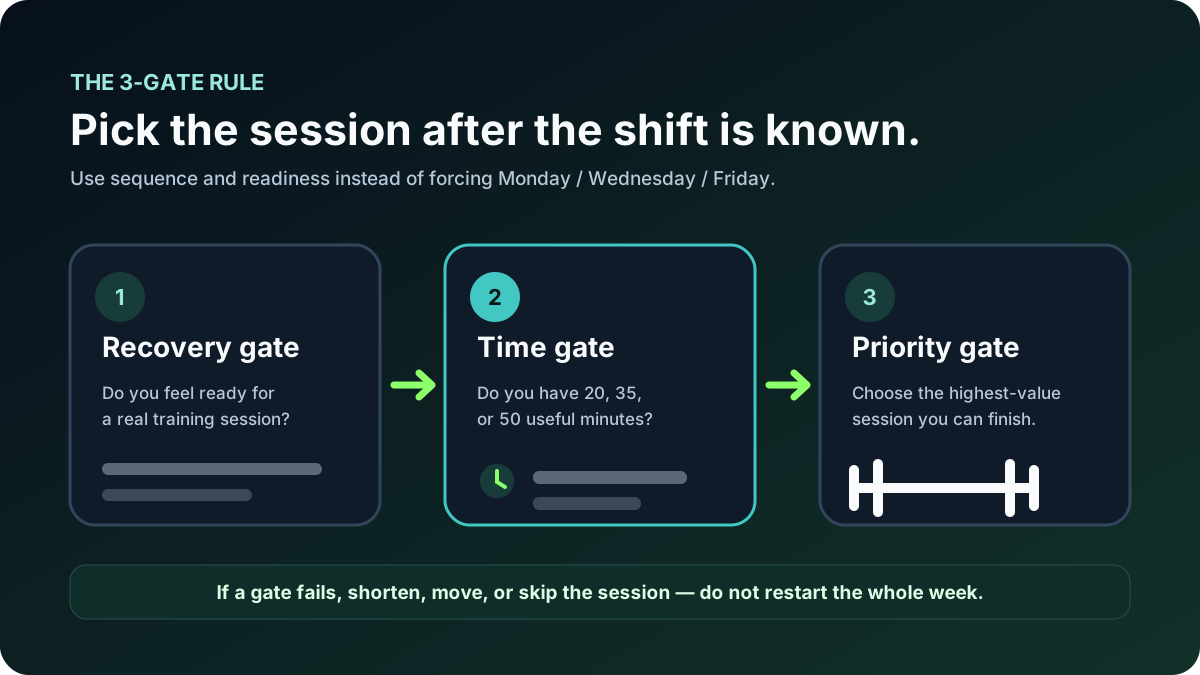
Use three gates before every session
You do not need a complicated readiness score. A simple decision process can stop the rota from making every training day feel like a fresh negotiation.
Are you reasonably ready to train, or are you trying to force a hard session into a window that should be recovery? A long shift is not automatically a reason to skip, but severe fatigue, illness, pain or poor recovery is a reason to be conservative.
How much usable time actually exists: 20, 35 or 50 minutes? Pick a version of the session that fits the real window instead of pretending every workout must be full length.
What is the highest-value session you can complete well? Keep the important strength work ahead of low-priority extras when time is limited.
If today fails, move the next session forward. Do not punish yourself with double sessions, “make-up” cardio or a full weekly reset.
What an app should do for a nurse's changing rota
If you are choosing a workout app specifically for 12-hour shifts, evaluate it on the problems that actually break your routine.
| Shift-work problem | What the app should do |
|---|---|
| Your days off change weekly | Move sessions without losing the sequence or progression. |
| A shift runs late | Offer a shorter fallback rather than treating the workout as failed. |
| You switch days to nights | Let you rebuild the upcoming schedule quickly instead of locking workouts to weekdays. |
| The hospital or hotel gym has different equipment | Adapt exercise choices to the equipment actually available. |
| You keep postponing the session | Use a stronger accountability moment than another silent notification. |
| You miss a workout | Reschedule the next useful session instead of restarting the plan. |
IZEM's product direction fits these requirements because it is designed to personalize workouts around schedule, equipment, training level, goals and plan changes. Its AI voice-call coaching can add a more active accountability layer, while the broader plan can be adjusted when real life changes.
Example: two night shifts without wrecking the week
This is an illustration, not a prescription. Your training history, health, commute, sleep, goals and shift demands matter. The point is the logic: preserve session order and move it through the rota.
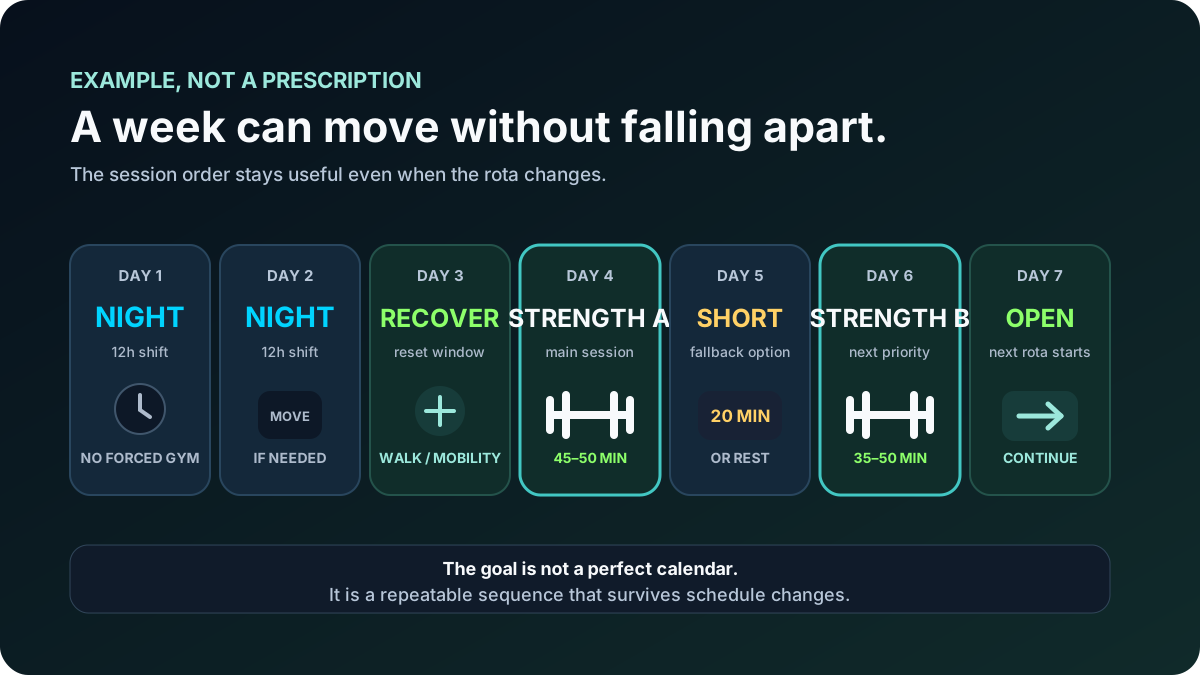
Imagine two 12-hour night shifts followed by days off. You might decide not to force your main strength session between those nights. After a recovery window, you do Strength A. If the next day becomes unexpectedly busy, use a short fallback or rest. Strength B remains next and lands on the next good window.
Nothing about that week is perfect. That is the point. The system survives because the sequence is stable even when the dates are not.
Before shift or after shift: stop looking for one universal answer
There is no single clock time that is best for every nurse and every rota. Some people reliably train before a shift. Others have a better window afterward. With nights, the answer can change again. Search discussions show exactly this variation: people use different windows depending on whether the shift is early, late or overnight.
A safer decision rule is: choose the window you can repeat without sacrificing the recovery you need to function well. If you are extremely fatigued, unwell, dizzy, in pain, or concerned about training safely, skip the workout and get appropriate professional guidance rather than letting an app overrule common sense.
How to set up a shift-proof workout week in five minutes
- Choose only two or three priority sessions. Start with the amount you can realistically protect across bad weeks, not your ideal week.
- Name them A, B and C—not Monday, Wednesday and Friday. The next session stays obvious even if the calendar changes.
- Add a 20-minute fallback version. Decide in advance what survives when time is cut in half.
- Place sessions only after the rota is known. Use the best realistic windows, then move them again if work changes.
- Review what actually happened. If you completed A and B but not C, continue from there. Do not restart because Sunday arrived.
If missed sessions are your biggest problem, see our guide to a fitness app that adapts when you miss a workout. If your issue is simply having no time on certain days, the fallback-workout system for busy days goes deeper on short-session design, while our body recomposition guide explains how to protect muscle mass during calorie deficits despite shifting hours.
Where accountability fits
A rotating schedule creates more decision points: “before or after?”, “today or tomorrow?”, “full session or short one?” Each extra decision is another chance to postpone.
That is where a proactive check-in can be useful. A normal reminder waits for you to dismiss it. A coach can ask what changed and help turn the answer into the next action. IZEM's call-based approach is designed around that accountability moment. You can read the broader logic in our guide to a workout reminder app that calls you.
Build the workout around your rota—not the other way around
Tell IZEM your real schedule, available equipment and training goal. Build a flexible plan, keep the next session obvious, and use AI calls or check-ins when accountability matters most.
See how IZEM's call-based coaching works →Frequently asked questions
What should a workout app for nurses on 12-hour shifts actually do?
It should let workouts move with the rota, preserve session order when days change, offer shorter fallback sessions, adapt to equipment and time available, and make a missed workout easy to reschedule instead of forcing a weekly restart.
Should I work out before or after a 12-hour nursing shift?
There is no universally best time. Use the window you can repeat without sacrificing necessary recovery. If a long shift leaves you depleted, moving the main session can be smarter than forcing the calendar.
What if my rota changes every week?
Keep workouts as an ordered sequence—A, B, then optional C—and place the next session after you know your actual shifts. This keeps progression understandable without requiring fixed weekdays.
Is two or three workouts per week enough with shift work?
A repeatable two- or three-session plan can be more useful than an ambitious plan you regularly miss. The right amount depends on your goal, training history, recovery and health; the important part is building something you can sustain.
IZEM provides general fitness and nutrition coaching software, not medical diagnosis or treatment. If pain, illness, pregnancy, injury, medication, severe fatigue, or another health concern affects exercise safety, use appropriate professional guidance.