Watch the video guide
A short IZEM video guide for the decisions in this article.
Enter your goal, available days, session length, actual equipment and recent training in the app's profile. Read the proposed workout before lifting: does it fit those inputs, and do you understand the instructions?
If you're still choosing an app, use our AI fitness app comparison. For setup, use the brief below. You can bring the same notes to a qualified human trainer.
Published by IZEM, an AI fitness coaching app. The examples are hypothetical, and the brief formats your answers. It doesn't generate a workout or assess whether exercise is safe for you.
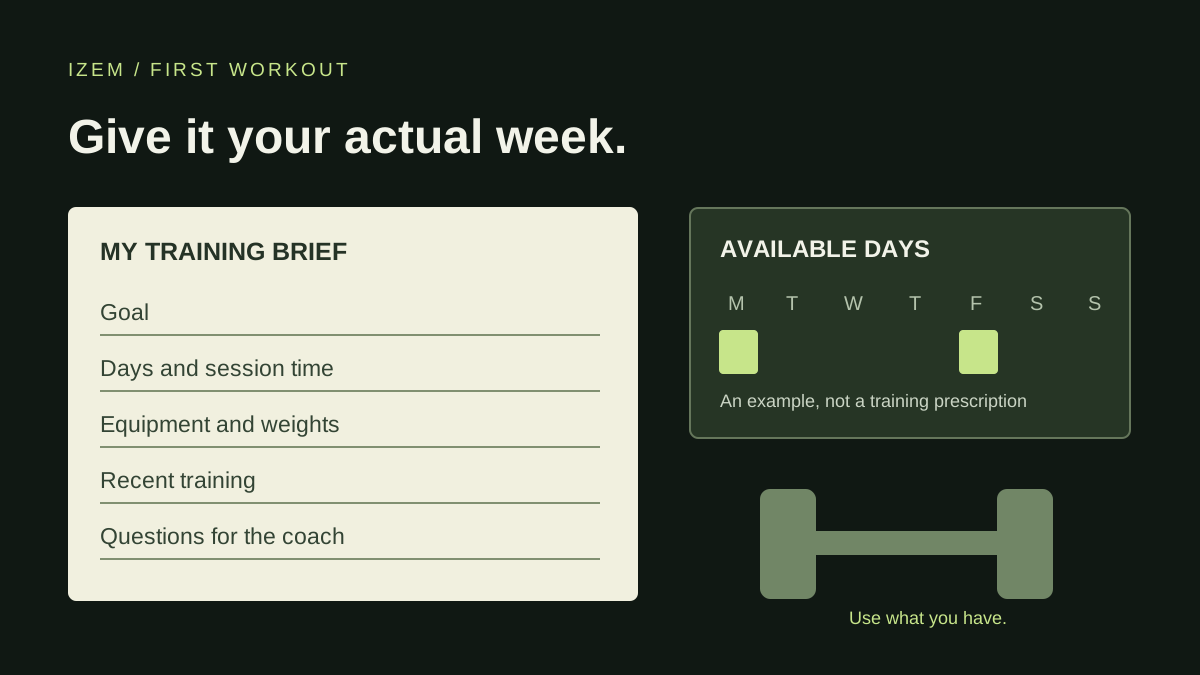
Start with your current week
“Get me fit” leaves a lot for an app to assume. A clearer starting point is: “I want to build a consistent strength routine. I have Monday and Friday evenings, 35 minutes each, and adjustable dumbbells at home.” That describes a goal and the limits the plan must respect. The days and minutes are an example, not a recommended training dose.
Use the app's profile settings where they exist. Fitbod's current My Plan documentation, for example, separates goals, equipment, training days, duration and experience. It also lets users specify available weight increments. Those settings affect its recommendations; another app may collect the same information differently. [1]
Write down what you've done recently. “Returning after a long break” tells a coach more than an old “intermediate” label. Include other activity that takes effort, such as sports or long runs, instead of describing only gym sessions. You don't need to attempt a maximum lift to complete this brief.
Be literal about equipment. “Dumbbells” could mean one fixed pair or an adjustable set with several increments. Say which you have and use kilograms or pounds consistently. A plan that needs a cable machine is still unsuitable if your app calls your room a home gym.
If a clinician has given you exercise restrictions, follow that guidance and ask what activity is appropriate. A chatbot's confident reply doesn't clear a medical condition, injury or rehabilitation plan. The American Heart Association's consumer guidance highlights those situations as reasons for professional oversight. [3]
Find the controls you'll use during the workout
The products in search results offer different ways to train. FitnessAI describes sets, reps, weights and exercise swaps; Zing describes workout progression plus audio and video demonstrations. Find the edit, demonstration and logging controls in your chosen app before starting. FitnessAI's product page · Zing's publisher listing.
If you prefer spoken guidance, check whether it guides the session or just reads exercise cues. Ray's comparison makes that distinction. If you're using a plan-writing tool such as Manus, decide where you'll keep the workout and record your sets.
Check access before paying. GymStreak's listing, for example, shows a free download with in-app purchases and describes a subscription for complete access. Confirm the offer, renewal and cancellation terms that apply to your account.
Make a training brief you can keep
Fill in what you know and leave anything else open. The text can help you complete an app's profile or start a coaching conversation. Check what a service collects and shares before pasting it there. Keep medical records and identifying details out of this form.
My first-workout brief
Runs in your browser. This tool doesn't send or save your entries; copy the text before leaving the page. It has no automatic connection to IZEM or another app.
Read the workout before you start
A formatted plan can still omit the information you need on the gym floor. Check the proposal against your brief, then ask about anything missing. This review catches practical mismatches; passing it doesn't prove that the workload or technique is appropriate for you.
| Check | What should be clear | If it isn't |
|---|---|---|
| Calendar | The plan uses days you can keep. | Ask it to rebuild around your available days. Don't silently add sessions. |
| Equipment | Each exercise uses equipment you actually have. | Correct the equipment profile and request suitable alternatives with instructions. |
| Time | Warm-up, work, rest and equipment changes fit the session. | Ask for a time estimate and which work to remove. Rushing rest isn't a time plan. |
| Instructions | You understand the exercise, sets, repetitions, rest and load notation. | Request an explanation or demonstration. Ask a qualified professional about unfamiliar technique. |
| Starting load | The approach reflects your current ability and gives you a way to adjust. | Ask how to choose a manageable starting load. Don't treat a suggested number as an instruction to force the set. |
| Feedback | You know what to log and how to report a changed or unfinished set. | Find the logging and edit controls before training. Ask how feedback affects the next workout. |
Freeletics' weights guidance describes suggested loads as a guide and allows users to edit a working-set weight before starting. It emphasizes technique and starting light. That is a documented product example, not a promise that every app has the same controls. [2]
For a session-time check, use our exercise-count planner. If your chosen training days don't fit the proposed split, compare splits by available days. Neither tool evaluates medical suitability.
A plan that doesn't match its brief
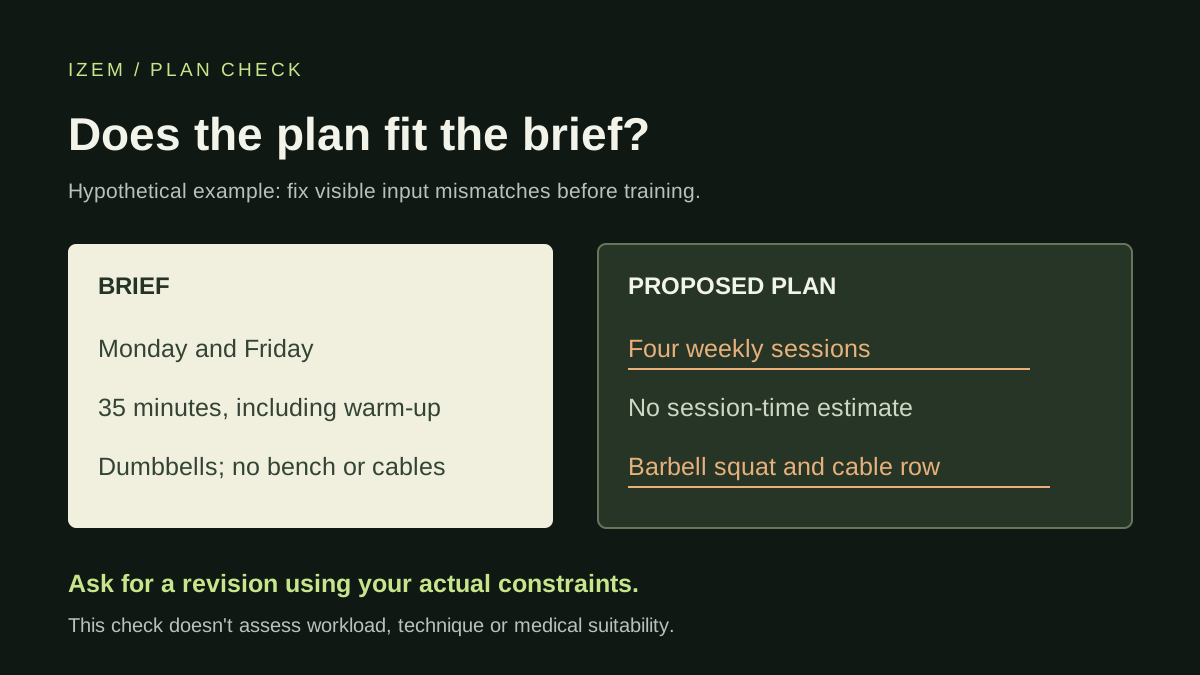
Suppose someone entered Monday and Friday, 35 minutes each, with adjustable dumbbells and no bench. The app returns four weekly sessions, a barbell squat and a cable row. Those are visible input mismatches before anyone attempts a repetition.
A useful correction is: “Keep Monday and Friday as the only training days. I have adjustable dumbbells and no bench, barbell or cable machine. Rework the exercise choices around that equipment, explain unfamiliar movements and include warm-up and rest in the 35-minute estimate.”
Check the revised version again. This hypothetical example fixes calendar and equipment assumptions; it doesn't establish which exercises, sets or loads that person should do.
Use the first session to make an accurate record
Review the exercise instructions and prepare the equipment before you start. Warm up, use a manageable load and give yourself time to learn the logging controls. Mayo Clinic advises learning proper form and reducing the weight or repetitions if you can't maintain it. Stop an exercise that causes pain. [4]
Record completed repetitions and the weight you actually used, with units. If you changed an exercise, stopped a set or ran out of time, include that. Marking the entire proposal as completed leaves the next recommendation with an inaccurate training record.
Keep the note specific: “Finished the first two exercises; stopped when the 35 minutes ended” is more useful than “bad workout.” You can then ask about the remaining work instead of automatically squeezing it into the next session. For a longer record, use our workout tracking template.
If the app cites a study to justify its advice, open the source and check that it exists and says what the app claims. The American Heart Association's guidance makes the same point: a plausible-looking reference can be wrong. [3]
Using the brief with IZEM
IZEM is an AI fitness coaching app with workout planning, set-by-set logging, meal planning and coach conversations. Use the brief to organize your goals, equipment and schedule before entering them in the app. Log what happened in the workout so a later coaching conversation starts with a clearer record. [5]
Copying the brief doesn't import it automatically. This page also doesn't inspect exercise form. Check IZEM's current AI personal trainer features and access, including trial eligibility and optional coach-call availability, before deciding whether it fits your needs.
If you only want to sketch a session, try the separate free workout-plan generator. For instruction on unfamiliar movements, or training affected by an injury or health condition, work with a qualified fitness or health professional as appropriate.
Sources and editorial notes
[1] Fitbod Help Center. My Plan, updated September 9, 2026. Product documentation for training-profile inputs, equipment and available increments.
[2] Freeletics Help Center. Freeletics Weights Journeys. Product-specific guidance for suggested weight and working-set edits.
[3] American Heart Association. What's the best way to use AI in your workout?, January 5, 2026. Consumer guidance on useful training context, checking references and medical oversight.
[4] Mayo Clinic Staff. Weight training: Do's and don'ts of proper technique, January 21, 2026. General guidance on form, manageable load, warm-up and pain.
[5] IZEM's current first-party product facts. Features, access and availability.
Sources checked October 12, 2026. The brief and plan checks are IZEM editorial aids, not validated medical screening or technique-assessment tools. We haven't tested the competitor apps for this article; their stated behavior comes from the linked documentation.